We Turned a 3D Printer Into an AI Portrait Artist
← All PostsWhat happens when you strap a pen to an old 3D printer and ask AI to channel Picasso? You get a photo booth that draws your portrait while you wait. We call it Micasso.
A printer gathering dust
We had a 3D printer sitting around the office doing nothing. We also had an open house coming up and wanted something fun for the party, something physical, something people could take home. The idea was simple: what if we could take someone’s photo, run it through AI to get a line drawing, and have the printer draw it with a pen?
The digital-to-analog loop is what sold us. AI generates the image on a screen, sure, but then a machine actually draws it on a card, right in front of you. Watching a pen trace your face does something a screen can’t.
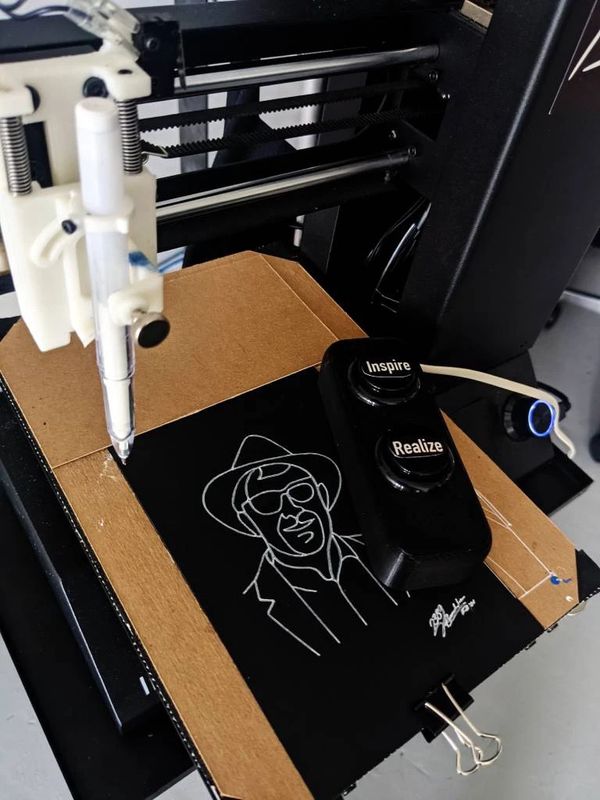
Inspire and Realize
The interaction has two moments, and we named them deliberately.
You walk up and press Inspire. The camera gets ready, a countdown begins, and at the moment of capture the booth announces “Micassoooo” — part shutter sound, part personality.
Your photo appears on screen. Not happy with it? Hit Inspire again for another take. When you’re ready, press Realize — make the inspiration real. The AI generates your portrait, the code traces it into pen paths, and about 30 seconds later the plotter starts drawing.
While you wait, the screen shows haikus:
Robots learn your face
Numbers become poetry
Machine tongue spoken
How it works
The pipeline has five steps. A photo goes in, a pen-drawn portrait comes out.
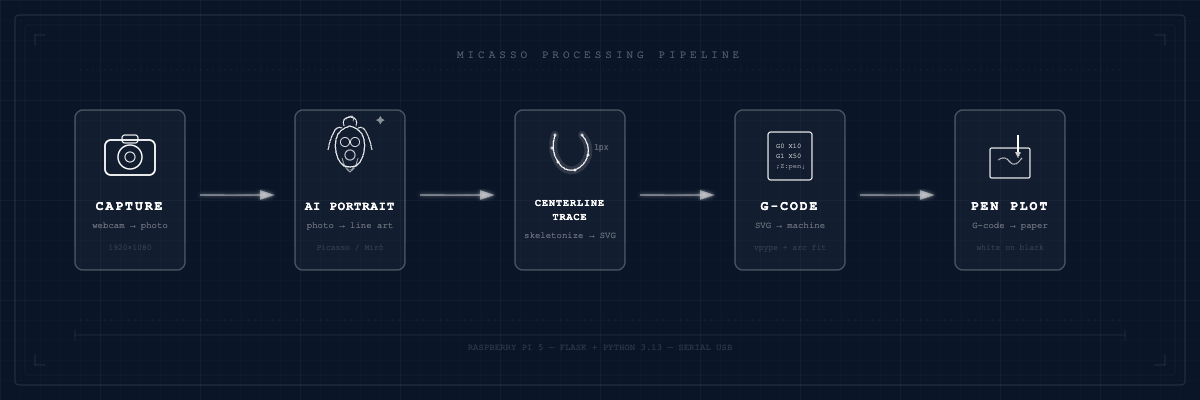
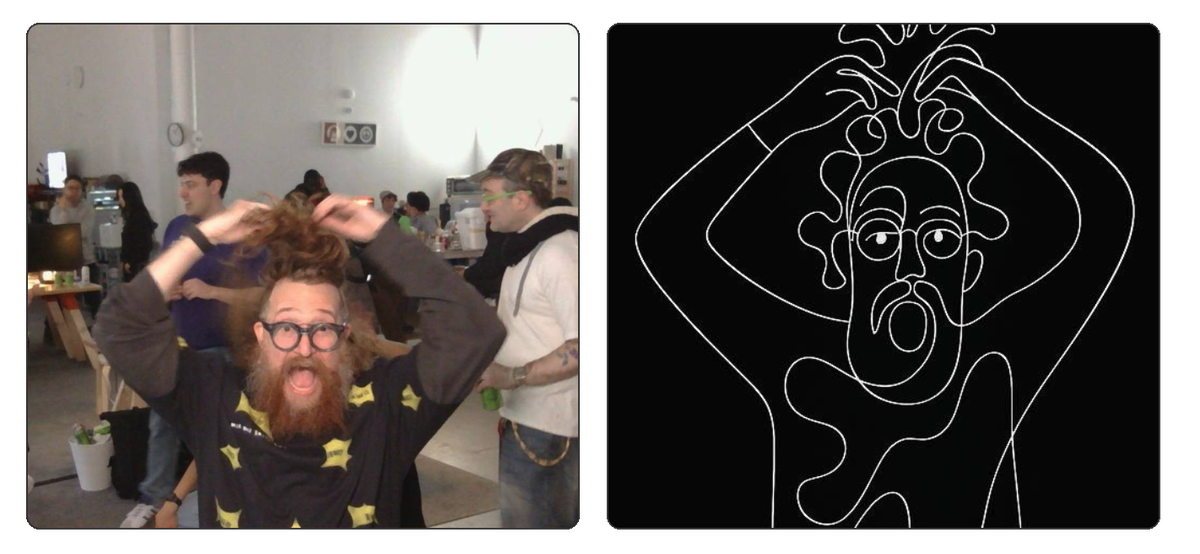
A webcam on a Raspberry Pi 5 snaps your photo. That photo gets sent to an AI image model (we support OpenAI, Google Gemini, or a self-hosted option) which transforms it into a minimalist line drawing in the style of Picasso and Miró. The AI output gets traced into vector paths — more on this below, it’s where things got weird. Those vectors get converted to G-code using vpype with arc fitting. Think of G-code as a recipe: move here, lower the pen, draw this line, lift, move there. Then the printer picks up the pen and draws. White pen on a black 6×4 inch card.
Where we got stuck
Prompt engineering for a physical pen
Prompt engineering for screens is one thing. Prompt engineering for a physical pen is different. The AI needs to produce art with no gradients, no fills, no line width variation — just clean strokes a mechanical pen can reproduce.
We iterated on this a lot. Here’s where we landed:
PORTRAIT_PROMPT = """Transform this photo into a minimalist single-line portrait
in the style of Picasso and Joan Miró.

Requirements:
- Single continuous stroke aesthetic (the drawing should look like it could be
  drawn without lifting the pen)
- Uniform line thickness throughout - no variation, shading, or hatching
- Abstract but recognizable - simplified eyes, nose, mouth, hair
- Minimal clothing suggestion - as few strokes as possible
- Clean white background with no texture or marks
- Black lines only on pure white
- Empty white space around the portrait
- Gallery-style minimalist aesthetic

The result should look like modern minimalist line art suitable for pen plotting"""
Every word matters. “Single continuous stroke aesthetic” and “uniform line thickness” are the difference between something that looks great on screen and something a pen can actually draw.
Centerline tracing
Here’s the part that tripped us up. Standard vector tracing tools like potrace trace the outlines of shapes. That works for a laser cutter — it cuts around the edges. But a pen plotter doesn’t fill shapes. It draws lines.
If you trace the outlines of a thick stroke, you get two parallel lines with empty space between them. Not what we wanted.
The fix: skeletonization. Instead of tracing edges, we extract the centerline — the single-pixel spine running through the middle of each stroke.
def extract_skeleton(binary):
    """Extract skeleton (centerline) from binary image."""
    # Skeletonize - this finds the 1px centerline of all shapes
    skeleton = skeletonize(binary)
    return skeleton
Potrace gives you outlines. Skeletonization gives you the path a pen should follow. That was the breakthrough.
Loading the card
This is a converted 3D printer, not a production line. There’s no paper feed mechanism. Before each portrait, someone slides a fresh 6×4 card onto the plotter bed by hand. It’s a manual step in an otherwise automated flow, but honestly it gives the experience a human touch.
The small things
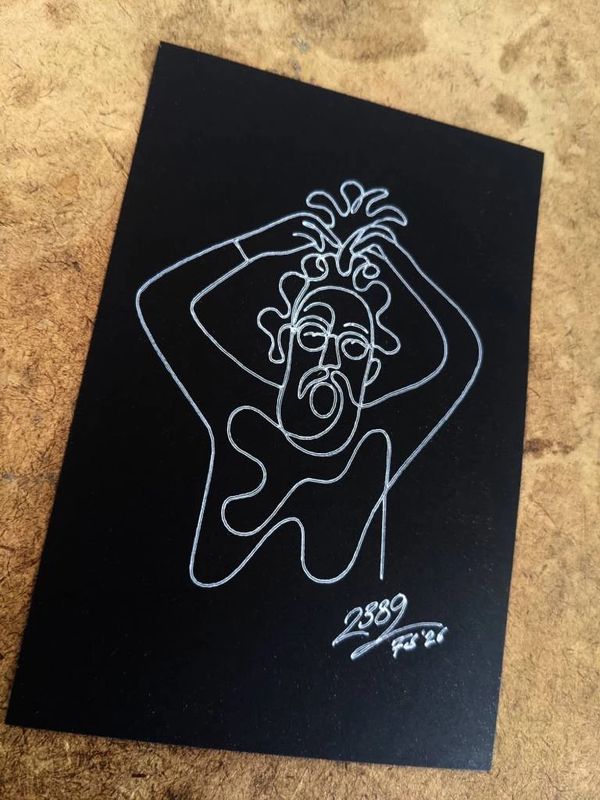
White gel pen on black 6×4 cards. It’s an inversion of what you’d expect, and people love it. Each card comes out looking like something you’d frame.
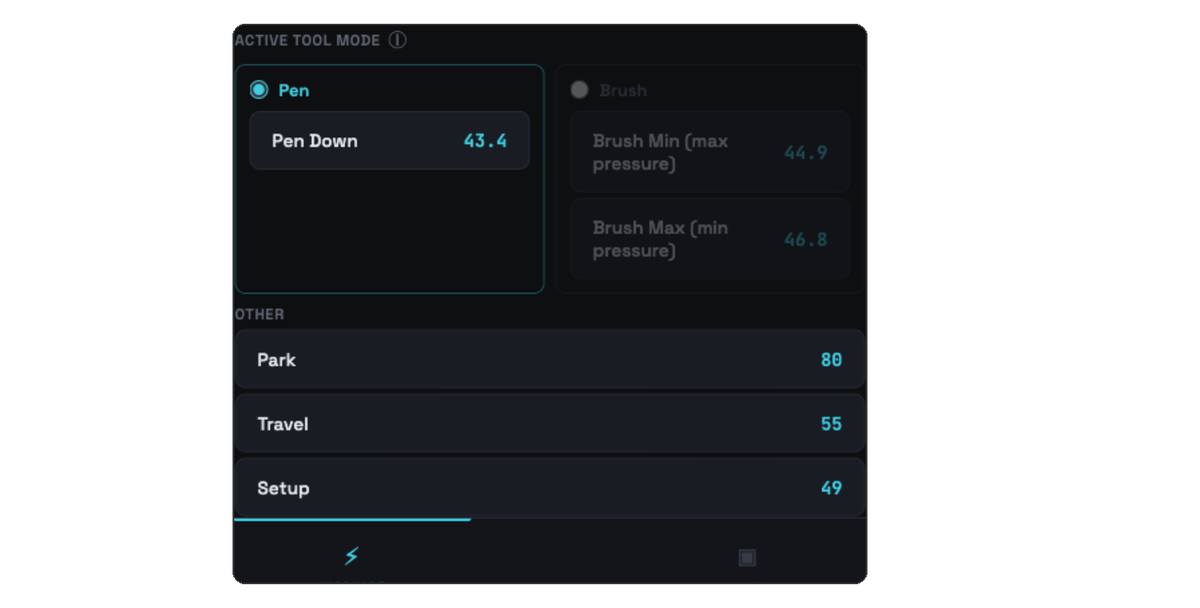
We wanted to be able to reprint portraits later, maybe weeks after the original, potentially after swapping pens or recalibrating. So the G-code files use inline tags like ;Z:pen_down and ;Z:travel that get substituted with the current pen height settings at print time. Adjust your setup, reprint the same file, and it just works.
We built a pen setup interface in the admin panel to make calibration easier. You can test Z-heights, move the pen to a setup position, and fine-tune the exact pressure where ink meets card. Fiddly the first time, but once calibrated, the settings stick.
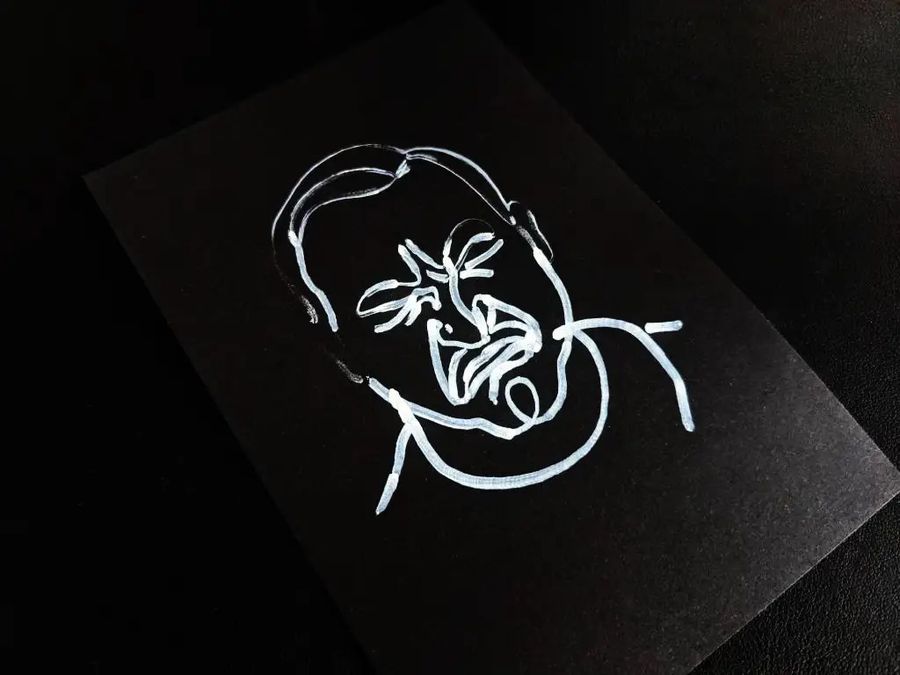
There’s also a brush mode where the plotter varies speed and pen pressure based on curve geometry. Tight curves slow down, straight lines speed up, mimicking how a painter actually moves a brush. It produces a completely different look from the clean pen lines.
The party
At the open house, people gravitated toward Micasso. They’d sit down, the camera would snap, and then everyone would watch the pen trace the portrait. Some people took their card home. Most pinned them to the wall.
That wall became a gallery. It’s still there.
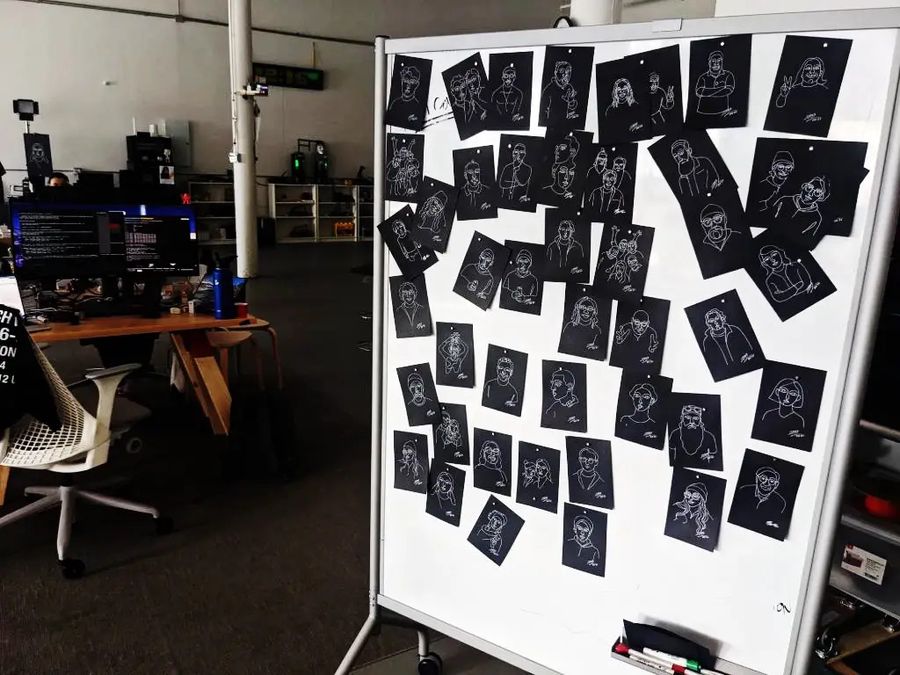
The photo booth stayed on after the party. Visitors to the office can use Micasso and take home a souvenir. We’ve done 130+ portraits so far. There’s a screensaver mode that cycles through past drawings on a display, which has turned into an accidental yearbook of everyone who’s stopped by.
What’s next
We’re messing with what brush mode can do on different mediums. There’s a second version in progress built around a continuous paper roll instead of individual cards — bigger canvas, longer drawings. We’d also like to automate the card loading, since right now it’s the one manual step.
If you’ve got an old 3D printer gathering dust, maybe don’t throw it out. Strap a pen to it and see what happens.
And if you’d rather just experience it, come by the office and Micasso will draw you.