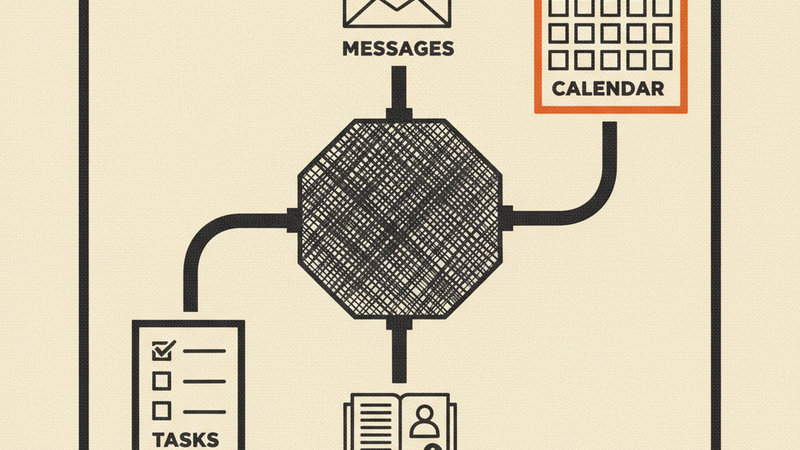
Your AI can read your email, check your calendar, manage your contacts, and track your tasks — but only if it can talk to Google. GSuite MCP is the bridge. It runs locally as an MCP server and gives any MCP-compatible client access to four Google APIs through 33 tools.
Install
brew install 2389-research/tap/gsuite-mcp
Or build from source:
go build ./cmd/gsuite-mcp
What it does
Gmail — read, search, send, draft, label, trash, and delete messages. CC/BCC supported.
Calendar — list, view, create, update, and delete events.
Contacts — search, browse, create, update, and delete via the People API.
Tasks — manage task lists and individual tasks: create, update, complete, delete.
Beyond the tools, the server ships with prompts for common workflows: triaging your inbox, composing threaded replies, scheduling around your availability, reviewing pending tasks, and looking up contacts. It also exposes live MCP resources — today’s calendar, unread mail, overdue tasks — so your AI has context before you ask.
Multi-account support is built in. Connect your work and personal Google accounts, then tell your AI which one to use:
“Check my work email for anything urgent” “What’s on my personal calendar this week?”
How it works
GSuite MCP runs as a local process. You authenticate once with gsuite-mcp setup, which opens a browser for Google OAuth. Tokens stay on your machine in ~/.local/share/gsuite-mcp/ — nothing leaves your computer. The server requests only the OAuth scopes it needs.
Add it to Claude Code with one command:
claude mcp add gsuite gsuite-mcp -- mcp
Or drop the config into any MCP-compatible client.
Requirements
- Google Cloud project with OAuth credentials (
credentials.json) - Gmail, Calendar, People, and Tasks APIs enabled on that project
- Go 1.21+ (only if building from source)