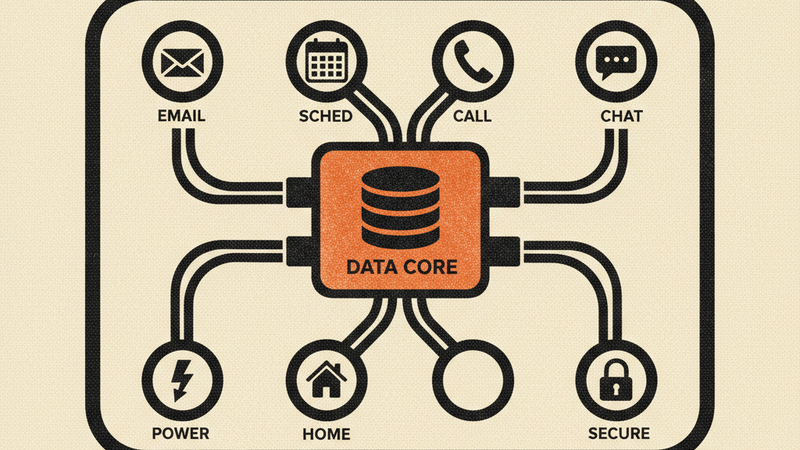
ISH runs on your machine and pretends to be seven different APIs. Point your Google, GitHub, Twilio, Discord, SendGrid, or Home Assistant SDK at localhost:9000 instead of the real service, and your code can’t tell the difference. No API quotas burned, no OAuth credentials to manage, no network required. One Go binary, one SQLite file, 50+ endpoints.
Install
go build -o ish ./cmd/ish
Or download a pre-built binary from the releases page.
Then seed it with test data and start the server:
./ish seed
./ish serve --port 9000
What it does
Google APIs — Gmail (messages, threads, labels, attachments, search syntax like is:unread and in:inbox), Calendar (events, time filtering, sync tokens), People (contacts, search, pagination), and Tasks (lists, CRUD, completion tracking).
GitHub — Repos, issues, pull requests, comments, reviews, and SSRF-protected webhooks via the REST v3 API.
Twilio — SMS and voice APIs with async webhook delivery, phone numbers, calls, and messages.
Discord — Webhook API v10: execute, edit, delete messages with embed and component support.
SendGrid — Email send API v3, API key management, and suppression lists.
Home Assistant — Entity states, service calls, and token auth.
OAuth 2.0 — A mock OAuth provider that simulates authorization code flow, token refresh, and revocation for any plugin.
All of these work with their official SDKs. The only change is the base URL:
export GOOGLE_API_BASE_URL=http://localhost:9000
ISH also ships with an admin UI at /admin — a schema-driven web interface where you can browse all resources, manage test data, and inspect every request that hits the server.
If you set OPENAI_API_KEY, the ish seed command generates realistic emails, calendar events, contacts, and tasks using AI. Without it, you get sensible static data.
How it works
Each API is a plugin. Plugins implement a standard interface — routes, schema, seed data — and register themselves at startup. The admin UI reads plugin schemas and generates its UI automatically, so adding a new mock API doesn’t require touching core code.
Data lives in a single SQLite file (~/.local/share/ish/ish.db by default). Every request gets logged with plugin attribution, method, path, status, and timing. The auth layer accepts Bearer user:USERNAME tokens — no real credentials needed.
Requirements
- Go 1.21+ (to build from source)
- Optional:
OPENAI_API_KEYfor AI-powered test data generation