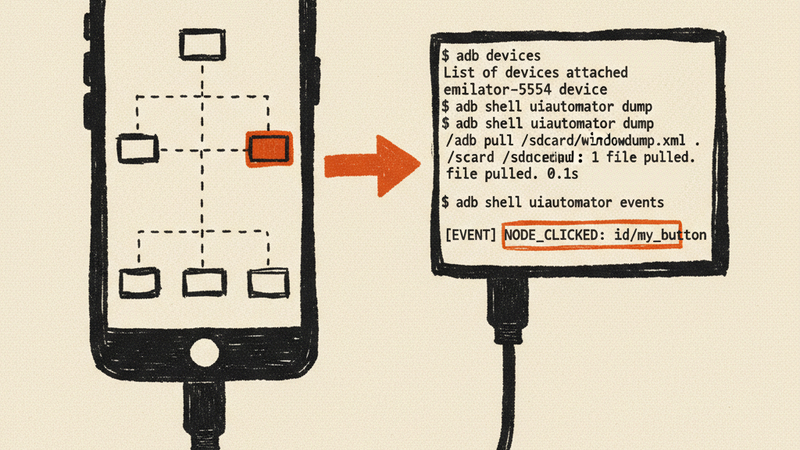
Phonegang controls Android phones over USB by reading the accessibility tree — the same structured data that screen readers use. Instead of matching pixels or hardcoding coordinates, you find elements by their text, resource ID, or content description. It ships as a CLI, a Python library, and an MCP server that lets Claude Code tap your phone directly.
Install
git clone https://github.com/2389-research/phonegang.git
cd phonegang
uv sync
Requires Python 3.10+, an Android device with USB debugging enabled, and ADB on your PATH.
What it does
CLI commands cover the common operations: phonegang tap-text "Login", phonegang type "hello", phonegang screenshot, phonegang scroll-to "Settings". You can also dump the raw UI tree, list connected devices, manage apps, and navigate with back/home.
Python API gives you DeviceManager, ADBDevice, and DeviceController. Connect to a device, refresh the accessibility tree, find elements by text/class/resource-id/custom predicates, then tap, type, scroll, or wait for elements to appear. The tree object supports chained queries — find all buttons, filter by size, grab the clickable ones.
MCP server exposes high-level tools (get_screen, tap, type_text, wait_for) and low-level tools (tap_xy, swipe, press_key, get_ui_dump) over MCP. Add it to your Claude Code config and ask Claude to interact with your phone in natural language.
How it works
Four layers, bottom to top:
- ADB layer — wraps
adb-shellfor raw device communication (shell commands, file push/pull, input events) - Accessibility tree parser — parses
uiautomatorXML dumps into queryable Python objects with bounds, text, resource IDs, and click state - Device controller — combines ADB and the parsed tree for high-level operations (find-and-tap, scroll-to-text, wait-for-element)
- CLI / MCP — Click-based CLI and MCP server that expose the controller to humans and AI agents
Requirements
- Python 3.10+
- Android device with USB debugging enabled
- ADB (Android Debug Bridge) — comes with Android SDK or install standalone
adb-shell,click,lxml(installed automatically viauv sync)