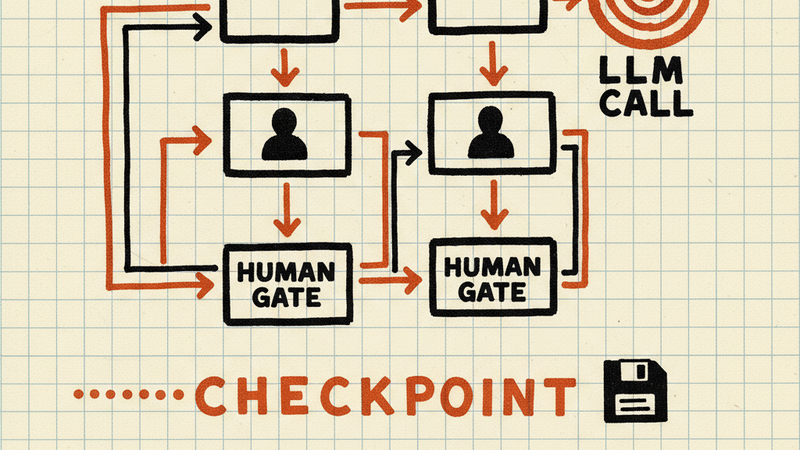
Tracker is a Go implementation of strongDM’s Attractor framework — a three-layer system for building AI-powered software factories. You define workflows as DOT files — directed acyclic graphs where each node is a step — and Tracker executes them in dependency order. It handles human-in-the-loop gates, LLM-powered nodes, automatic checkpointing, and retry logic. A bubbletea TUI dashboard shows pipeline progress in real time.
Install
go install github.com/2389-research/tracker/cmd/tracker@latest
Run a pipeline:
tracker pipeline.dot
Resume from a checkpoint:
tracker -c .tracker/runs/<runID>/checkpoint.json pipeline.dot
What it does
DAG execution from DOT files. Define your pipeline as a standard Graphviz DOT file. Nodes represent steps, edges represent dependencies. Tracker topologically sorts the graph and executes nodes in the correct order, running independent branches concurrently where possible.
Human gate nodes. Mark any node as a human gate and Tracker pauses execution to present a choice or freeform prompt. In TUI mode, these appear as scrollable modal dialogs with keyboard navigation. In console mode, they fall back to stdin/stdout.
LLM-powered nodes. Nodes can invoke language models with pipeline context automatically injected into prompts. Trace introspection surfaces token counts, latency, and prompt/completion text in both the TUI dashboard and console output.
Automatic checkpointing. Tracker saves pipeline state to .tracker/runs/<runID>/checkpoint.json after every node transition. If a run fails or is interrupted, resume from the last checkpoint. No manual configuration required — checkpointing is on by default when the artifact directory exists.
Retry with backoff. Failed nodes retry automatically with configurable backoff. The checkpoint tracks retry counts so resumed runs pick up where they left off.
TUI dashboard. A bubbletea-based terminal UI shows a live node list with status indicators, LLM trace details, and scrollable modal prompts for human gates. Disable with --no-tui for headless or CI environments.
How it works
Tracker parses the DOT file into a DAG, validates it for cycles, and builds an execution plan. The engine walks the graph node by node, dispatching each to a handler based on its type. Pipeline context flows between nodes — outputs from earlier steps are available as inputs to later ones.
Artifacts land in .tracker/runs/<runID>/, one directory per run. Checkpoints, LLM traces, and any node-produced files all go here. The run ID is generated at startup and stays consistent across checkpoint resumes.
The handler registry maps node types to implementations. Built-in handlers cover shell commands, LLM calls, and human gates. Custom handlers plug in through the Go API.
Requirements
- Go 1.24+ (for building from source)
- A DOT file defining your pipeline
- For LLM nodes: API credentials for your model provider (configured via environment variables)